The cloud register built for speed
Ring up purchases in seconds. Search products, tap quick items, calculate tax automatically, and take cash or credit card payments with ease.
- Runs on iPad, Android tablet, Mac, PC, or Chromebook
- Direct card processing via Stripe Elements
- One-click cash tendering with change calculation
- Thermal receipt printing or paperless digital delivery

Everything you need at checkout
Lightning-fast item grid
Organize products with color badges, categories, and SKU search. Add items to cart with a single click or tap.
Card payments via Stripe
Accept Visa, Mastercard, American Express, and digital wallets securely without proprietary hardware locks.
Smart cash management
Quick bills tender buttons ($5, $10, $20, $50, $100) instantly compute change and update your drawer ledger.
Browser & thermal receipt printing
Print professional receipts to any standard 80mm or 58mm POS receipt printer, or use your standard browser print dialog.
Barcode & SKU ready
Plug in any standard USB or Bluetooth barcode scanner to look up inventory items instantly at checkout.
PIN & role security
Cashiers and managers can lock the register screen with secure PIN codes to prevent unauthorized edits.
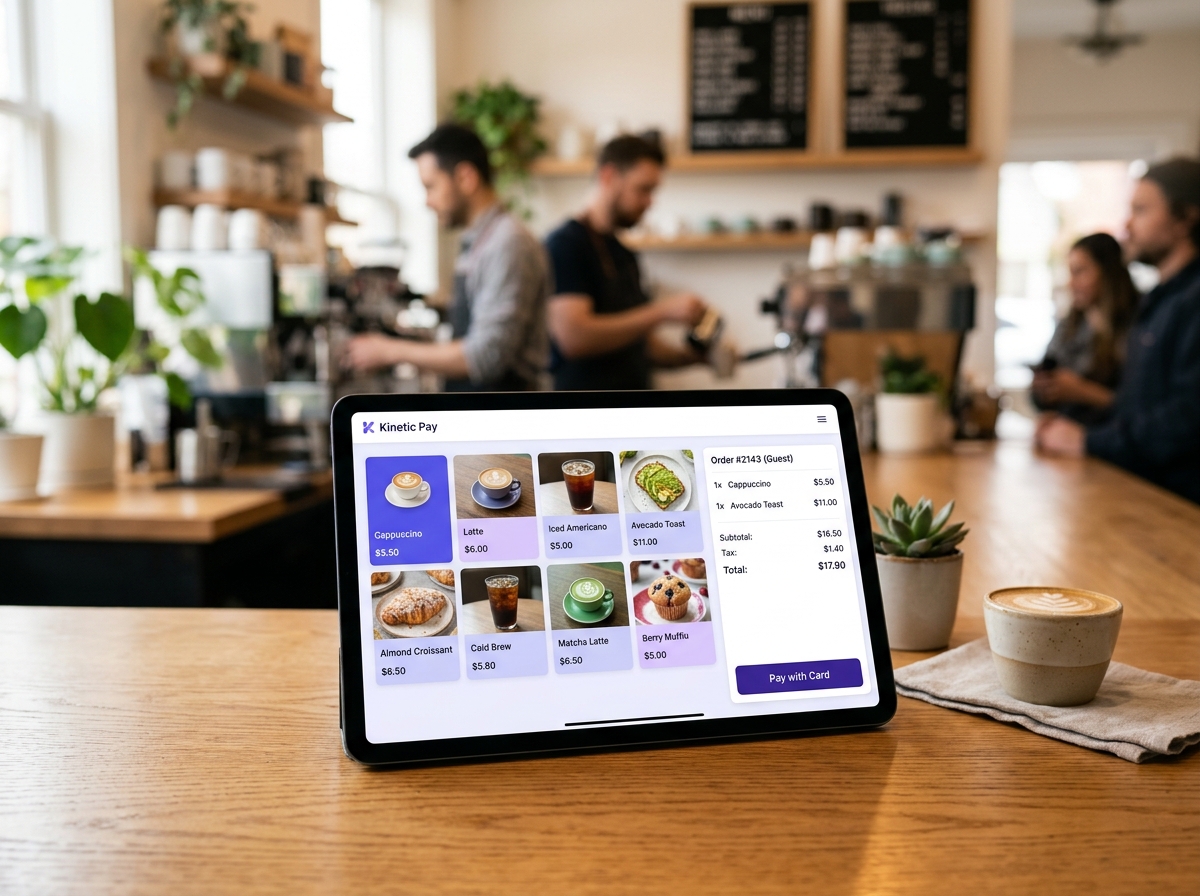
How it works in Kinetic Pay
- 1
Step 1: 1. Open the register in any browser
Log in on your tablet or laptop. No special operating systems, drivers, or software installs required.
- 2
Step 2: 2. Tap items or scan barcodes
Add products to the active cart, apply line-item or order-level discounts, and configure tax rates.
- 3
Step 3: 3. Collect payment & print receipt
Tender cash or charge cards through secure Stripe processing, print a thermal receipt, and move to the next customer.
Works together with
Ready to ring up your first sale?
Create a free Starter account in about a minute. No hardware to buy and no long-term contract.